welcome to Half Sword UE5 pak modding tutorial. made by BongoBlob
collection of links that you will need
Fmodel not required but good for finding halfsword content or replacing it
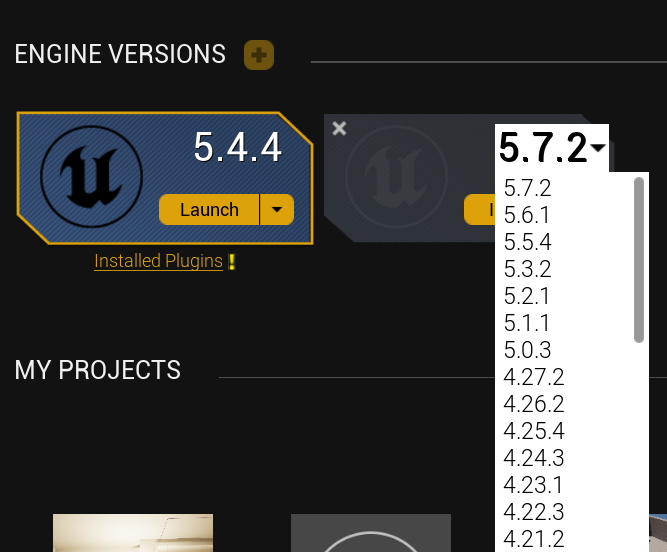
oh and also the demo uses ue5.4.4 and early access will use 5.7.2
Welcome
So... i might aswell start on tis now for early access so thing might change when the newest version of halfsword drops also website theme is based on this website from my childhood :] ive made lots of different websites before so i kinda know alittle about html

basics ue5 installation
Ok so ea has come out and the version of halfsword is still the same as the demo and that being ue5.4.4 so you will need to create a blank project template as seen below and then below again. You will need to call the project HalfSwordUE5 as this is the name of halfswords project file name so we will add content to it
name the project HalfSwordUE5

unreal map setup
ok so when its done compiling what it needs to you will see something like this when you do that you will need to delete all items highlighted in the image below i do this to teach you the bare nececites the things in the default level work fine exept the base as it is not loaded in halfsword and the camera can cause performance issues i think

ok now you will need to create a cube now and in the bottom right make the length 100, width 100, and height 1. this will be the base of our map. this map will be used as a testing ground or you can add custom content to it and make it your main map.it will work also ONE THING TO REMEMBER DONT DELETE THINGS LIKE FOLDERS AND CUSTOM ASSETS AS IT CAUSES BUGS, WELL TRY NOT TO.

the next couple of things that you will need to do to make a successful map. you will need
- in the basic section choose player start the bean is the default hight of wille roughly amke sure it isnt in the ground or in another object
- light directional (rotate it to how you desire)
- sky light (in the properties you can change the cube map to specified scene under source type under lighting and use a default cube map and see what you like)
- sky atmosphere(for the sky overhead)
- exponetial hight fog (for the sky below)
- and if you want(i highly suggest u do)add volumetric clouds for beutful ness
- these are under lighting and visual effects exept for the last thing you need to avoid crashes and that is navmesh bounds volume it should spawn as a cube in the properties make it 200 x 200 x 200 and align it so that when you press p the ground turns green you can press it again to toggle it this will be the walkable space that willes will be able to walk in
ok so now the easy bit is over you can drag and drop content and create blue prints you can place in levels or create ui blue prints that can be used aswell in maps
map export

ok so now the hard part comes we will need to put this in halfsword.
so first you will need to click platforms windows then cook content at the top of your screen.We do this as this is the way to put the files into halfsword.

once this is done cooking take a mental note at where the file path of the map is so by default the map path used when using the blank template would be 000PUT THE PATH THING HERE000
now you will need to go to your cooked content folder which is in for me C:\Users\USERNAME\Documents\Unreal Projects\HalfSwordUE5\Saved\Cooked\Windows\HalfSwordUE5\Content then locate the file named ShaderArchive-Global-PCD3D_SM6-PCD3D_SM6.ushaderbytecode it should be bigger in size than ShaderArchive-Global-PCD3D_SM5-PCD3D_SM5.ushaderbytecode any way locate ShaderArchive-Global-PCD3D_SM6-PCD3D_SM6.ushaderbytecode and delete it as it causes a definte crash
now head on over to My tool and put the designated paths correctly and generate a Command. now one Command prompt and not powershell as repak doesnt work in there then what you will need to do is paste the Command and then it will generate a pak file at c/users/(your name) then drag that over to steamapps\common\ Half Sword (demo or just halfsword, works for both)\HalfswordUE5\Content\Paks
map testing
ok now you should have ue4ss installed so now go into halfsword go into a match, win and then press f2 or f10 i forget lol then type the command "open /Game/Main"

map spawning